In order to use Query effectively, you should understand how the key VTAM control blocks relate to one another. This chapter provides a general description of these control blocks, as follows:
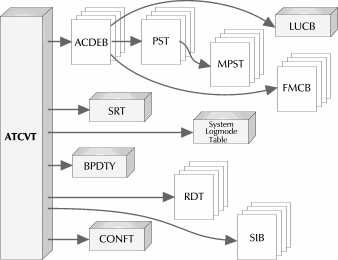
See Overview for an overview of how the various control blocks are related to one another.
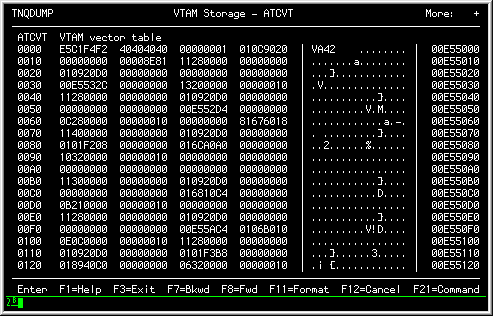
See ATCVT for an overview of the VTAM communications vector.
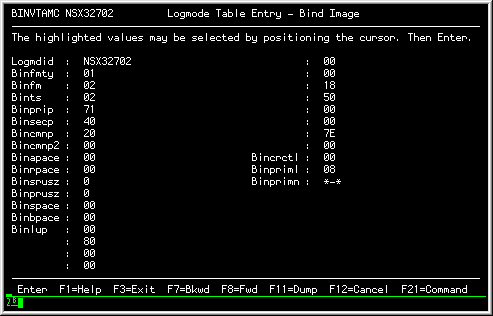
See BIND Image for an overview of the LOGMODE table entry.
See FMCB for an overview of the Function Management Control Block.
See LUCB for an overview of the Logical Unit Control Block.
See RDT for an overview of the Resource Definition Table.
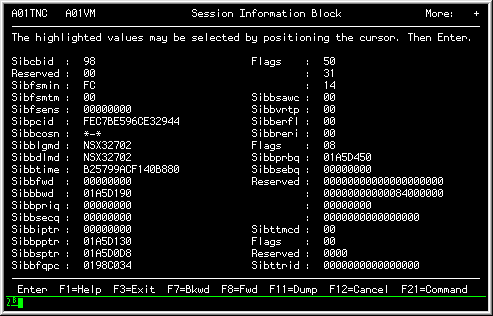
See SIB for an overview of the Session Information Block.
Note: The relationship of the various control blocks are documented in the proper IBM publications; you should use these publications when you are interpreting the active VTAM environment.
The control blocks within VTAM are chained together in many manners. The following figure illustrates the key blocks of general interest to Query users:
|
|
The ATCVT is the key anchor block for all VTAM operations. However, you should keep in mind that the various control blocks within VTAM are chained in multiple ways: you can locate a particular control block from many directions, besides the ATCVT.
Note: Query will present a formatted display if the control block is identifiable. If it can not identify the control block, it will present a standard hexadecimal display.
VTAM uses the ATCVT (VTAM Communications Vector Table) to "anchor" key control block chains. The ATCVT also contains several key components that are integral to the overall functioning of VTAM.
The following figure shows a hexadecimal display of an example ATCVT:
|
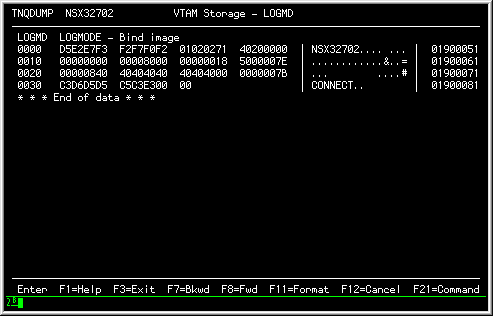
The BIND Image (LOGMODE table entry) contains the session parameters that may exist between two logical units. The following figure shows an example BIND image in DUMP mode:
|
The same control block in FORMAT mode would produce the following display:
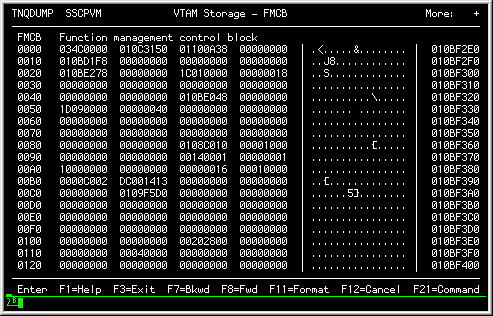
The FMCB (Function Management Control Block) contains the VTAM information associated with an SNA half session. The FMCB has many embedded select fields that allow you to locate key information associated with the logical unit. A hexadecimal display appears as follows:
|
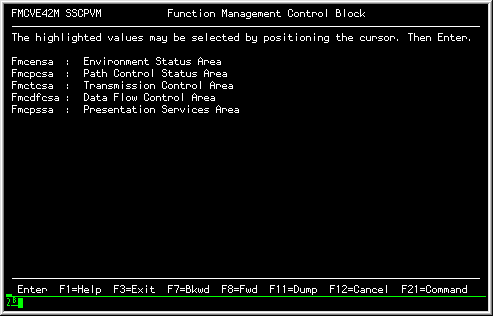
The same control block in FORMAT mode would produce the following display:
|
All the FMCB field values are select fields that, in turn, produce a subsequent display of the values in the FMCB.
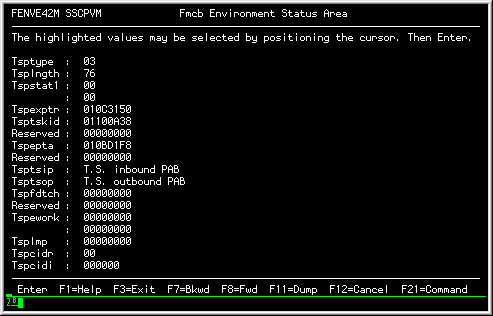
For example, selecting the Environment status area field would produce the following FORMAT display:
|
The LUCB (Logical Unit Control Block) acts as the anchor location within VTAM for information associated with an application processing system. The following figure shows an LUCB in DUMP mode:
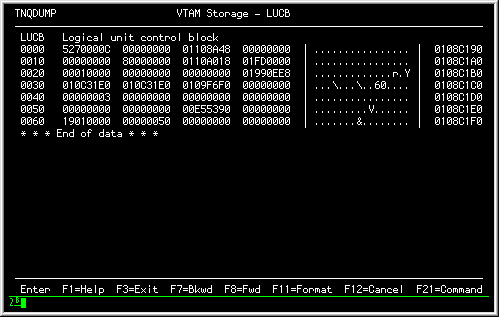
|
The same control block in FORMAT mode would produce the following display:
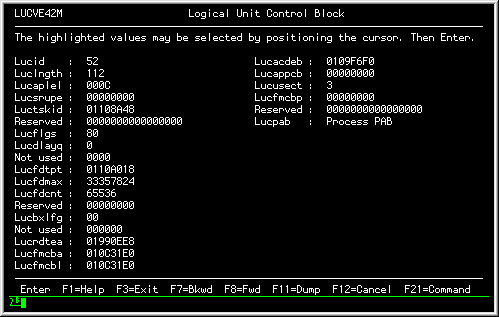
|
The LUCB is created when an OPEN ACB is issued by the application program. It is deleted when CLOSE is done for the application.
The RDT (Resource Definition Table) acts as the collection point for definitions within VTAM (typically associated with a "VTAMLST" definition). The following figure shows an RDT in DUMP mode:
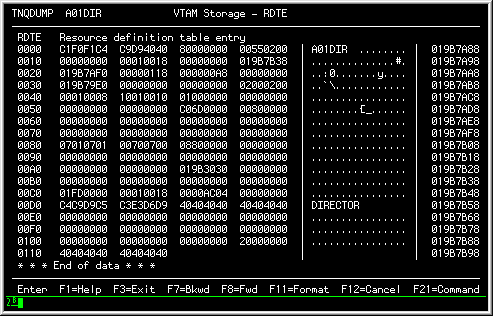
|
The same control block in FORMAT mode would produce the following display:
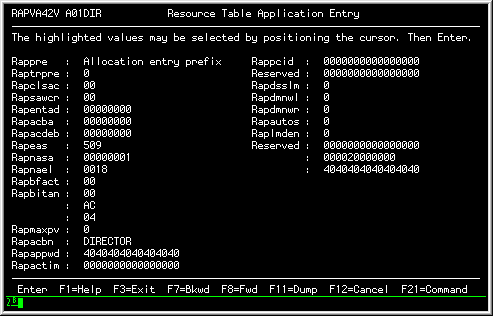
|
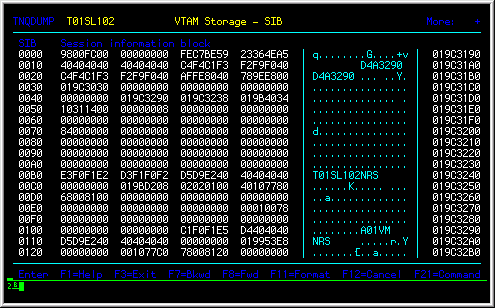
The SIB (Session Information Block) represents an existing session between two logical units within the VTAM network. The following figure shows an SIB in DUMP mode:
|
The same control block in FORMAT mode would produce the following display: